DocFlow Customisation

Tailor every aspect of DocFlow to your organisation: your brand, your colours, your workflows, your forms, and your metadata structures. DocFlow adapts to how you work, not the other way around.

Custom Branding & Colour Schemes

DocFlow becomes an extension of your brand. Upload your logo, set your primary and secondary colours, and customise the platform's appearance to match your corporate identity. When your team logs in, they see your brand, not ours.

  • Upload your organisation's logo for the navigation bar and login screen
  • Set primary, secondary, and accent colours across the entire interface
  • Customise the login page with your brand imagery and messaging
  • Branded email notifications and external sharing portals
  • Custom favicon and browser tab title for your DocFlow instance
  • White-label option available for resellers and large enterprises
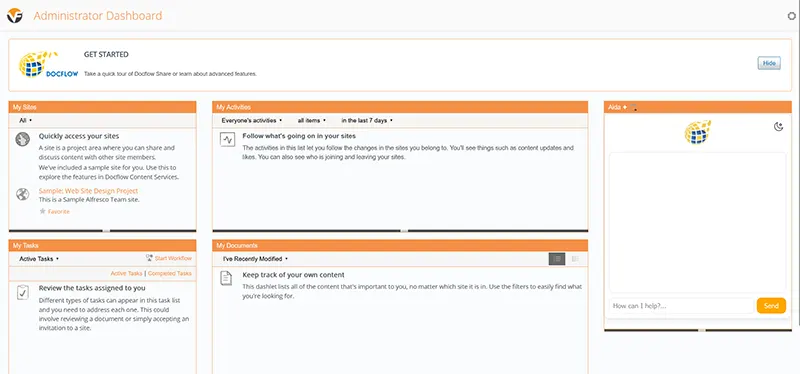
DocFlow customisation showing colour schemes and logo integration

Workflows, Forms & Metadata

Beyond visual branding, DocFlow lets you customise the operational backbone of your document management: workflows, data capture forms, and metadata structures that match your exact business processes.

Workflow Templates

Create custom multi-stage workflows for any process: document approval, contract review, invoice processing, policy sign-off, or onboarding. Define stages, approvers, conditions, escalation rules, and timeouts. Save as templates and reuse across your organisation.

Form Builders

Build custom data capture forms with drag-and-drop simplicity. Add text fields, dropdowns, date pickers, checkboxes, file uploads, and signature blocks. Attach forms to workflow stages to capture structured data at every decision point in your business processes.

Custom Metadata Fields

Define custom metadata fields for any document type. Add project codes, cost centres, department tags, regulatory references, or any structured data your organisation needs. Metadata powers smart folders, advanced filtering, and detailed reporting across your document library.

Fine-Grained Control Over Every Detail

DocFlow's customisation extends beyond branding and workflows into every corner of the platform. Configure permissions, notifications, retention rules, and user interfaces to create an experience that perfectly matches your operational requirements.

  • Role-based access control with granular permissions per folder and document type
  • Custom notification rules for uploads, approvals, expirations, and comments
  • Configurable document type taxonomies and classification hierarchies
  • Custom dashboard widgets showing the metrics that matter to each user role
  • Personalised home screens with pinned folders, recent documents, and task lists
  • Multilingual interface support for international organisations

Custom Metadata Schema

// Document Type: Invoice
metadata = {
  "supplier": "Text",
  "amount": "Currency",
  "po_number": "Text",
  "cost_centre": "Dropdown",
  "invoice_date": "Date",
  "due_date": "Date",
  "approved_by": "User",
  "status": "Workflow"
}

See Customisation in Action

Book a demo and we will show you how DocFlow can be branded, configured, and tailored to match your organisation's exact requirements, from colour schemes to complex workflow logic.

Frequently asked questions

Can DocFlow be customised to our processes?

Yes. DocFlow adapts to how your organisation works, custom document types, metadata, workflows and access rules, rather than forcing you to change your processes.

Can DocFlow be branded for our organisation?

Yes. DocFlow can be tailored and branded to match your organisation, and Mastercopy can build bespoke modules where you need them.

Can you build bespoke features?

Yes. With 37+ years of experience, Mastercopy can scope and develop bespoke functionality and integrations as part of your deployment.