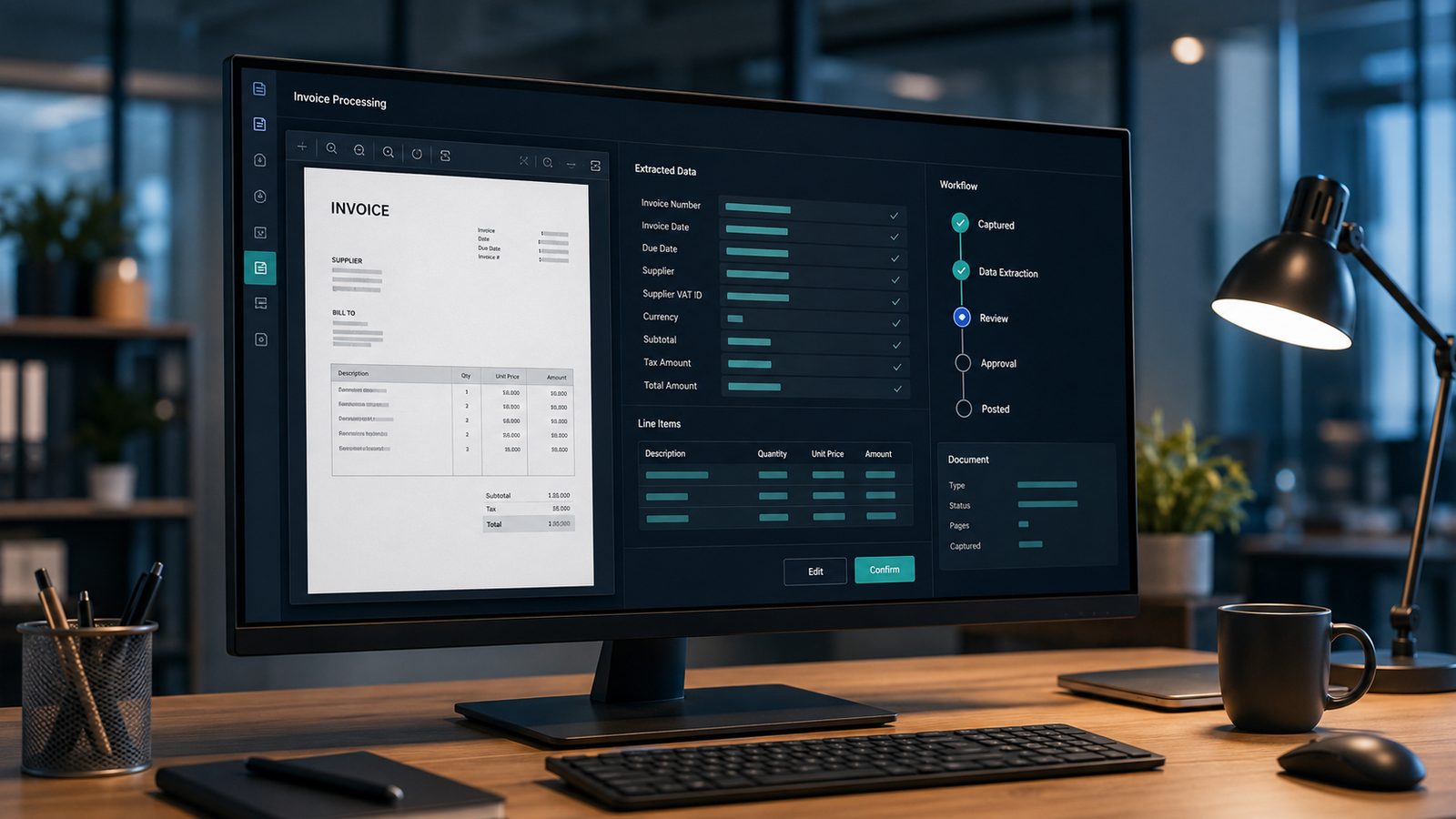
Accounts payable automation replaces the manual work of handling supplier invoices - the typing, printing, chasing and filing - with software that captures each invoice, reads the data, matches it, routes it for approval and posts it to your accounts. Done well, it takes invoice processing from days to hours and cuts the cost per invoice sharply, while giving finance a clear, real-time view of what is owed. Here is how it works and where to begin.
Key takeaways
- AP automation handles invoices end to end: capture, data extraction, matching, approval and posting - with a full audit trail.
- Manual invoice processing costs roughly £4–£15 each; automation can cut that by 60–80%.
- Three-way matching (invoice vs purchase order vs goods receipt) stops overcharges, duplicates and fraud.
- AP automation puts you ahead of UK e-invoicing (Peppol) and Making Tax Digital, both of which require digital records.
- Cloud tools make AP automation accessible to small and mid-sized UK businesses, not just large corporates.
What is accounts payable automation?
Accounts payable automation is the use of software to process supplier invoices from arrival to payment with little or no manual data entry. Instead of a person opening each invoice, typing the figures into the accounting system, emailing it round for sign-off and filing the paper, the software does the repetitive work and only involves people for genuine decisions and exceptions.
Underneath it sits intelligent document processing (IDP) - OCR combined with AI that reads an invoice, understands which number is the total, which is the VAT and who the supplier is, and extracts it as structured data. That is the step that turns a pile of PDFs and scans into information your systems can act on. For a plain-English look at how it works, see OCR vs IDP: how AI reads your documents.
How does accounts payable automation work?
Most AP automation follows the same five stages, joined into one flow so an invoice moves through them without landing in an inbox at each step:
- Capture. Invoices arrive however suppliers send them - emailed PDF, scanned paper, or a supplier portal - and are pulled into one place automatically.
- Extract and validate. IDP reads the key fields (supplier, invoice number, date, VAT, totals, line items) and checks them, flagging anything that looks wrong or duplicated.
- Match. The invoice is matched against the purchase order and goods receipt. Clean matches move straight through; mismatches become exceptions.
- Approve. Rules route each invoice to the right approver by value, department or supplier, with reminders so nothing stalls. Fully matched invoices can be approved touchlessly.
- Post and pay. Approved invoices post to your accounting or ERP system, ready for a payment run, and everything is archived with a complete audit trail.
What is three-way matching?
Three-way matching is a financial control that checks a supplier invoice against two other documents before payment: the purchase order (what you agreed to buy) and the goods receipt (what actually arrived). When price, quantity and tax all agree, the invoice is approved; when they do not, the difference is flagged for review.
Doing this by hand is slow, so in practice it often gets skipped - which is exactly how overcharges, duplicate invoices and fraudulent payments slip through. Automated matching applies the check to every invoice, approves the clean ones instantly and escalates only the exceptions, which is where the real risk reduction comes from.
What are the benefits?
The gains are financial, operational and compliance-related at the same time:
- Lower cost per invoice. Removing manual keying and correction cuts processing cost substantially - commonly 60–80% once you count staff time.
- Faster approvals. Cycles that took days run in hours, reducing late-payment charges and unlocking early-payment discounts.
- Fewer errors and less fraud. Automated validation and matching catch duplicates, overcharges and mismatches before money leaves the business.
- Real-time visibility. Finance can see what is owed, what is approved and what is stuck, at any moment.
- Happier teams. AP staff stop rekeying and chasing and spend their time on suppliers, queries and control.
How does it fit UK e-invoicing and Making Tax Digital?
AP automation puts you on the right side of where UK tax policy is heading. The government has confirmed a move towards mandatory e-invoicing on the Peppol standard, and Making Tax Digital already requires digital record-keeping rather than paper ledgers and standalone spreadsheets. Both assume your invoices are captured digitally and kept organised and retrievable.
By digitising capture and keeping every invoice in a structured, searchable, audit-ready store, automation gives you the foundation those rules require - well before they become mandatory. It also sits neatly alongside the retention rules covered in our guide to how long to keep business records.
Where DocFlow fits
DocFlow handles the document and workflow side of accounts payable. As invoices arrive in any format, Aida classifies and reads them, extracting the key data automatically; workflow automation routes each one for approval by your rules; and every invoice is stored securely with retention applied and a tamper-evident audit trail. If you are still getting historical paperwork off paper first, our guide to document digitisation is a sensible starting point.
The result is an AP process where clean invoices approve themselves, exceptions find the right person automatically, and the records behind every payment are ready in seconds if anyone asks.