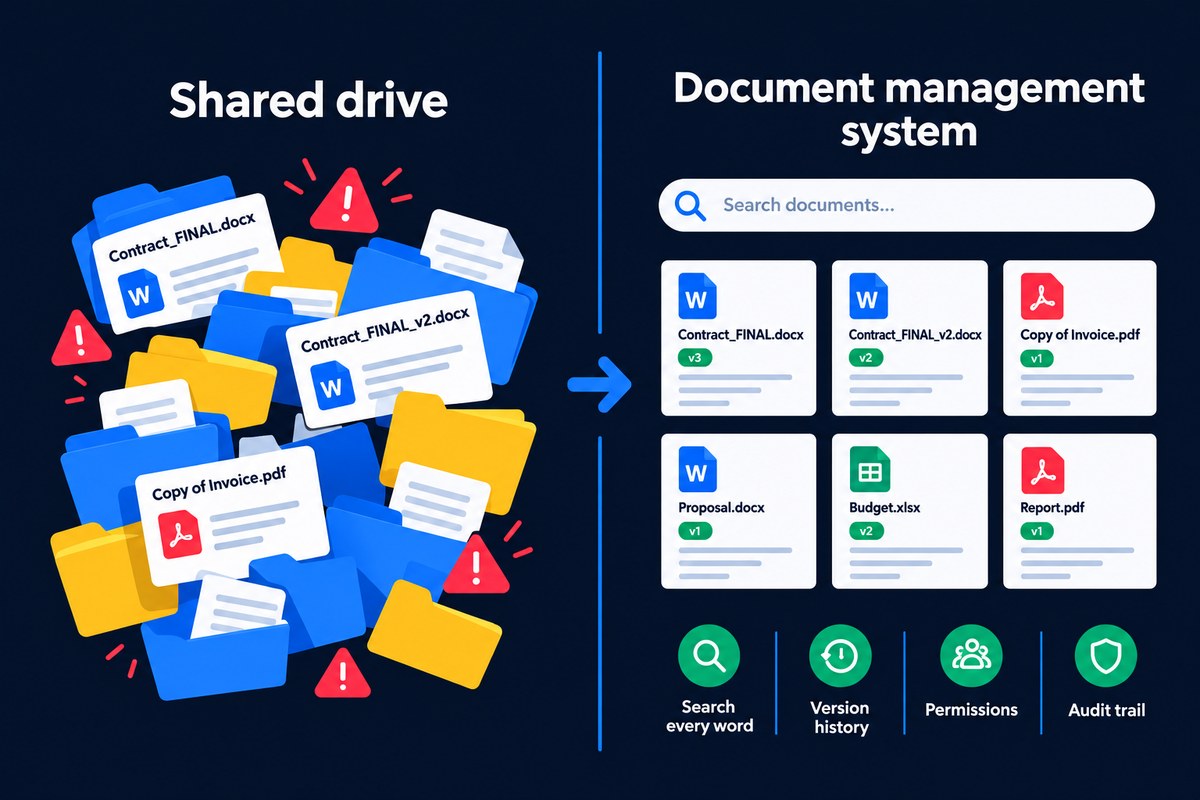
A shared drive stores files in folders; a document management system manages them. A DMS indexes every word, including scans, keeps full version history, controls access per user, runs approvals, applies retention rules and logs every action. If staff struggle to find files, argue over versions or dread audits, you have outgrown your shared drive.
Almost every business starts with a shared drive. A network folder, Google Drive or OneDrive is free or close to it, everyone understands folders, and for a small team it works. Then the business grows. This guide covers the signs you have outgrown folders, what actually changes when you move to a document management system, and how to move across without disruption.
Key takeaways
- A shared drive stores files. A document management system manages them.
- The warning signs you have outgrown a shared drive: lost time searching, version confusion, loose permissions and audit headaches.
- Google Drive, OneDrive and Dropbox are still file storage, not full document management.
- For small teams with no compliance needs, a tidy shared drive can be enough.
- Moving from a shared drive to a document management system works best in phases: clean up, structure, set permissions, move one team at a time.
Why do shared drives stop working as you grow?
Shared drives are good at one thing: putting a file somewhere other people can open it. They rely entirely on people to do everything else, naming files consistently, saving them in the right folder, deleting old versions, and remembering who should have access. That works when five people share the same habits. It breaks down when fifty people across several teams, locations and home offices all have their own.
The result is not a sudden failure but a slow drift. Every new starter has to be taught the folder structure, time spent looking for documents creeps up, as we explore in how much time is wasted looking for files, and the risks build quietly in the background.
8 signs you have outgrown your shared drive
- People ask colleagues where a file is rather than finding it themselves.
- Filenames carry version numbers such as "final", "v3" and "USE THIS ONE".
- Scanned documents cannot be searched, so paper that has been digitised is still effectively lost.
- Nobody is sure who has access to HR, finance or client folders.
- Leavers take knowledge with them, because only they knew where things were saved.
- Remote staff fight VPNs and sync conflicts just to open a file.
- Audits and data requests cause panic, because proving what you hold takes days.
- Retention is ignored, so old personal data is kept indefinitely and important records are deleted by accident.
What changes when you move to a DMS?
Beyond search and version control, the day-to-day differences show up in the places shared drives quietly fail:
| Situation | On a shared drive | With a document management system |
|---|---|---|
| Scanned paper | Image files nobody can search | OCR makes every scanned word searchable |
| New starters | Must learn the folder structure | Find documents by search and metadata |
| Leavers | Knowledge of where things live leaves too | Documents are filed consistently, whoever saved them |
| Access over time | Folder permissions drift as roles change | Role-based access per user, team and site |
| Remote working | VPNs, mapped drives and sync conflicts | Secure access from a web browser |
| Retention | Manual, usually never done | Rules applied automatically by document type |
| Audits | Days spent proving who saw what | Every view, change and approval already logged |
| Accidental deletion | Depends on backups | Recycle bin with full restore of versions and metadata |
Underneath all of this is metadata: information such as client, supplier, date or document type stored alongside each file, so documents can be found and governed by what they are rather than where someone happened to save them.
Is Google Drive a document management system?
Not in the full sense. Cloud storage such as Google Drive, OneDrive and Dropbox fixes some shared drive problems: files are available anywhere, syncing is automatic, and sharing a link is easy. But the underlying model is the same, folders of files that people organise by hand. Cloud storage does not classify documents, extract data from invoices, run structured approval workflows or apply retention and audit controls the way a purpose-built document management system does. It is a better shared drive, not a different kind of tool.
What about SharePoint?
SharePoint sits between the two. It can be configured to behave more like a document management system, with metadata, versioning and workflows, but it is a collaboration and intranet platform first, and getting it there usually takes significant setup and ongoing administration. We look at this in detail in is SharePoint a good document management system? and our DocFlow vs SharePoint comparison.
When is a shared drive still enough?
To be fair to the humble shared drive, it is not always the wrong answer. A very small team with modest document volumes, no sensitive personal or client data, no regulatory record-keeping and everyone in one office may be perfectly well served by a tidy, well-named folder structure. The case for a document management system grows with headcount, document volume, remote working, and any requirement to prove what you hold and who has seen it.
How do you move from a shared drive to a DMS?
Moving across is far less daunting when it is done in stages rather than as one big switch:
- Clean up first. Remove duplicates, obsolete drafts and anything past its retention period. There is no point migrating clutter.
- Agree the structure. Decide the main document types and the key information to record for each, such as client, supplier, date or reference.
- Set permissions. Map who needs access to what by role and team, rather than copying old folder permissions across.
- Migrate in phases. Move one department or document type at a time, starting with the area that feels the most pain.
- Switch on automation. Once documents are in, add capture, classification, approval workflows and retention rules.
- Retire the old drive. Keep it read-only for a set period so nothing is lost, then decommission it.
For a structured way to compare options before you start, see how to choose a document management system.
Where DocFlow fits
DocFlow is built to replace the shared drive, not sit awkwardly beside it. Documents are captured from folders, mailboxes and scanners, then Aida, DocFlow's AI engine, classifies them and extracts the key details automatically. Every word, including scanned pages, is searchable. Every document keeps a full version history with one-click rollback, access is role-based, approvals run through no-code workflows, retention applies itself, and everything is recorded in an audit trail. A recycle bin means an accidental deletion is a one-click restore. See the full list on our features page.
Remote and hybrid teams feel this soonest, because a shared drive assumes everyone is on the same network. We cover that specific case in remote document management and the impact of remote work on document strategy.